

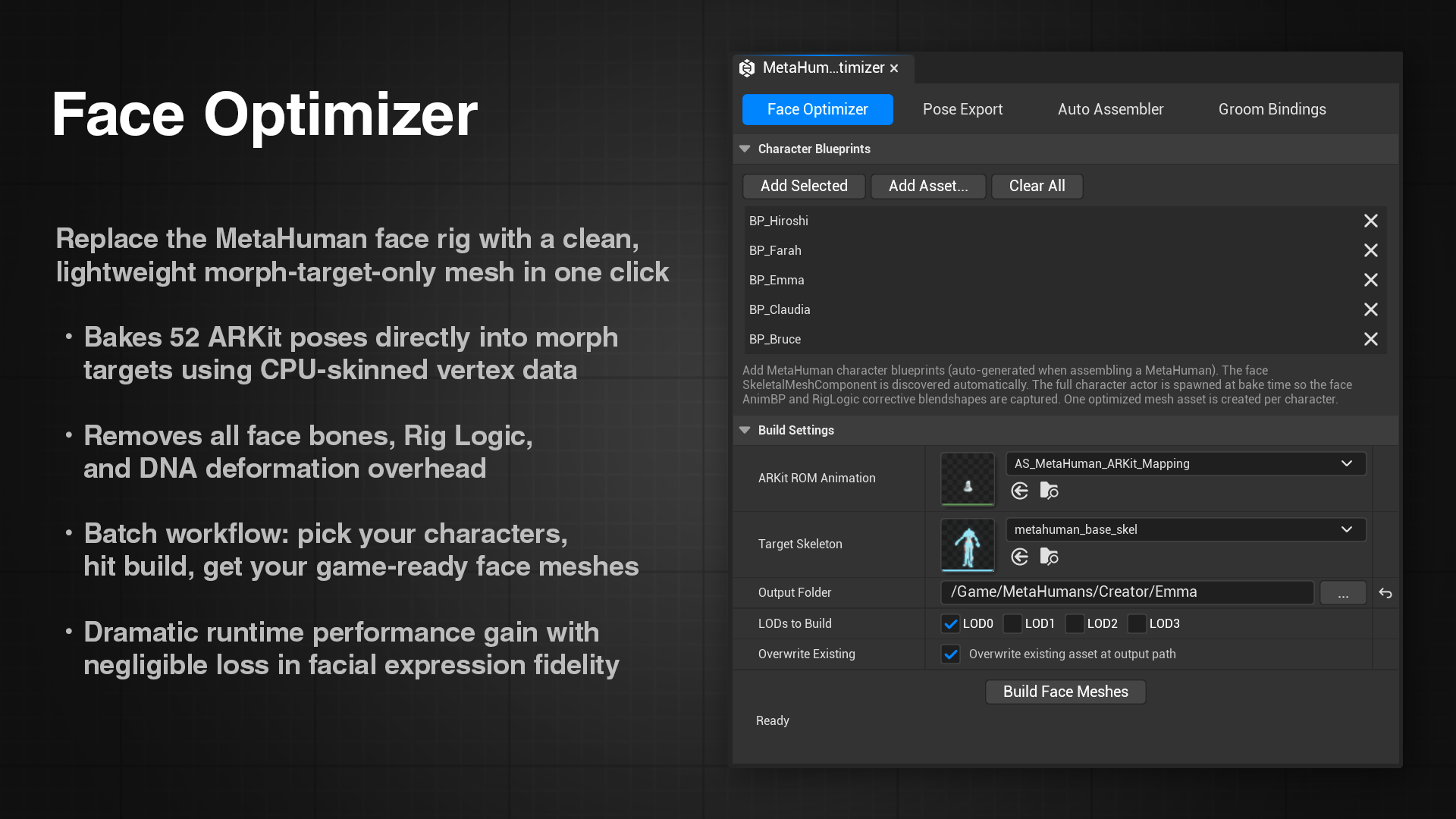
What is the Face Optimizer?
The Face Optimizer is a one-click tool that converts a MetaHuman face mesh into a lightweight, morph-target-only version, directly inside Unreal Engine. No Blender, no OBJ exports, no round-trips.
You give it a MetaHuman face skeletal mesh, and it produces a new mesh asset with all 52 ARKit poses already baked in as morph targets, ready to drive with Live Link or any other animation system.
How it works under the hood
The Face Optimizer spawn an instance of your face mesh, runs an animation sequence containing each of the 52 ARKit facial poses, captures the vertex positions at each frame via CPU skinning, and computes the per-vertex deltas relative to the neutral pose. Those deltas are then saved as morph targets on a duplicate of your source mesh.
This tool also strips the facial bones from the skeleton. MetaHuman faces use upwards of 300 bones whose sole job is to drive the mesh deformations, so once those deformations are baked into morph targets, those bones are dead weight. The Face Optimizer removes all of them, keeping only the root, spine, neck, and head chain so the face can still attach to a MetaHuman body and animate correctly.
The result is a skeletal mesh that:
- Has all 52 ARKit morph targets baked in
- Carries only the spine/neck/head bones needed for body attachment
- Is a completely separate asset (your original MetaHuman is untouched)
- Is now a standard skeletal mesh with no ties to the MetaHuman system, and can be migrated to any version of Unreal Engine (or even any 3D program)
Face Optimizer vs. the Pose Export tab
Both paths produce a morph-target only face, the right choice depends on your needs:
| Face Optimizer | ARKit 52 + Blender | |
|---|---|---|
| Steps required | 1 | 5+ |
| Stay in Unreal | ✓ | ✗ |
| Sculpt or edit the mesh | ✗ | ✓ |
| Multi-character shared shapes | ✗ | ✓ |
| Custom rig | ✗ | ✓ |
| Best for | Keeping MH Body | Custom characters rig |
If you just need a fast, lightweight face to use with your MetaHuman body and works with ARKit Live Link, the Face Optimizer is the right tool. If you need to sculpt the mesh, merge shapes across multiple characters, or attach a custom rig, use the ARKit round-trip workflow.