

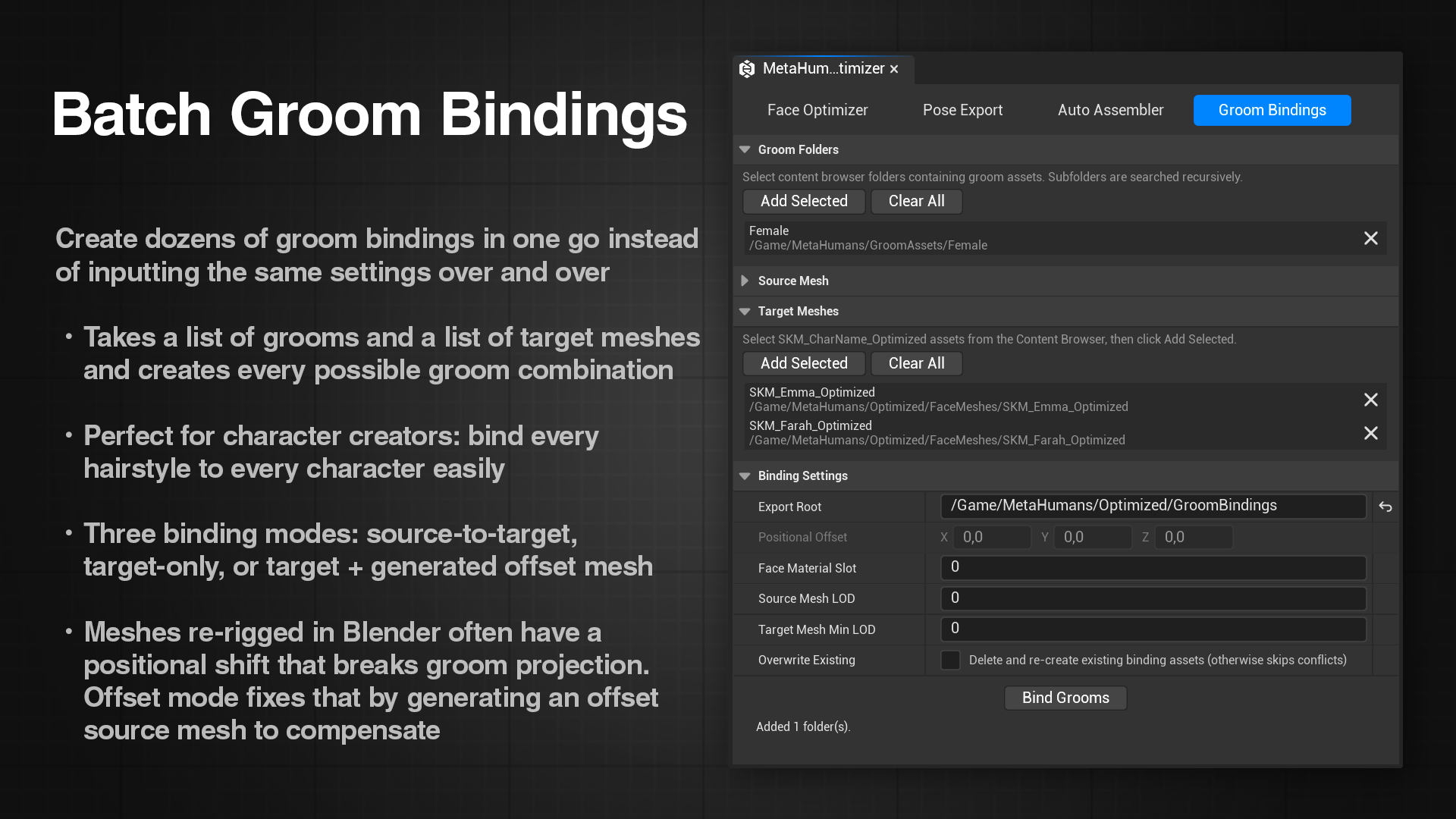
What is the Groom Binding Tool?
A groom binding is an Unreal Engine asset that tells a groom (hair or facial hair) how to follow a specific skeletal mesh at runtime. It maps each strand root to a triangle on the mesh surface, so the hair deforms with the face instead of floating in place. Without a valid binding, grooms either stay frozen in world space or are not rendered at all.
Creating bindings manually in Unreal requires opening the binding dialog, filling in the settings, and clicking through the process once per groom per character. With five groom types and four characters that is already twenty separate operations. This tool automates the entire process: give it a list of groom folders and a list of target face meshes, and it generates every combination in one click, organized into per-character subfolders.
Binding Modes
The tool supports three binding approaches, determined automatically based on the settings you provide. There is no explicit mode selector; see Usage for how to configure each one.
| Mode | Typical scenario |
|---|---|
| Target only | Source Mesh is empty and offset is zero. Groom strand roots project directly onto the target mesh. Use this when your face meshes have not been positionally translated from their original groom-authoring space. This is the most common case for Face Optimizer output. |
| Custom source | A specific mesh is set in the Source Mesh field. That mesh is used as the projection reference for all bindings in the batch. Use this when you have a reference mesh you want all characters to bind relative to. |
| Auto offset | Source Mesh is empty but offset values are non-zero. An origin mesh is generated automatically by taking the target mesh and applying the inverse of the offset, placing it back in the groom-authoring space. Use this when your face meshes have been positionally translated (for example, when re-rigging a head to a different body skeleton in Blender). |
Tip
If you're running into issues when creating bindings and/or really want to understand how bindings work under the hood, and why the offset mode exists, the Technical Dive page covers it all. If you're not running into any issue and don't like tech jargon though, feel free to skip it, it's entirely optional.